
Material Library
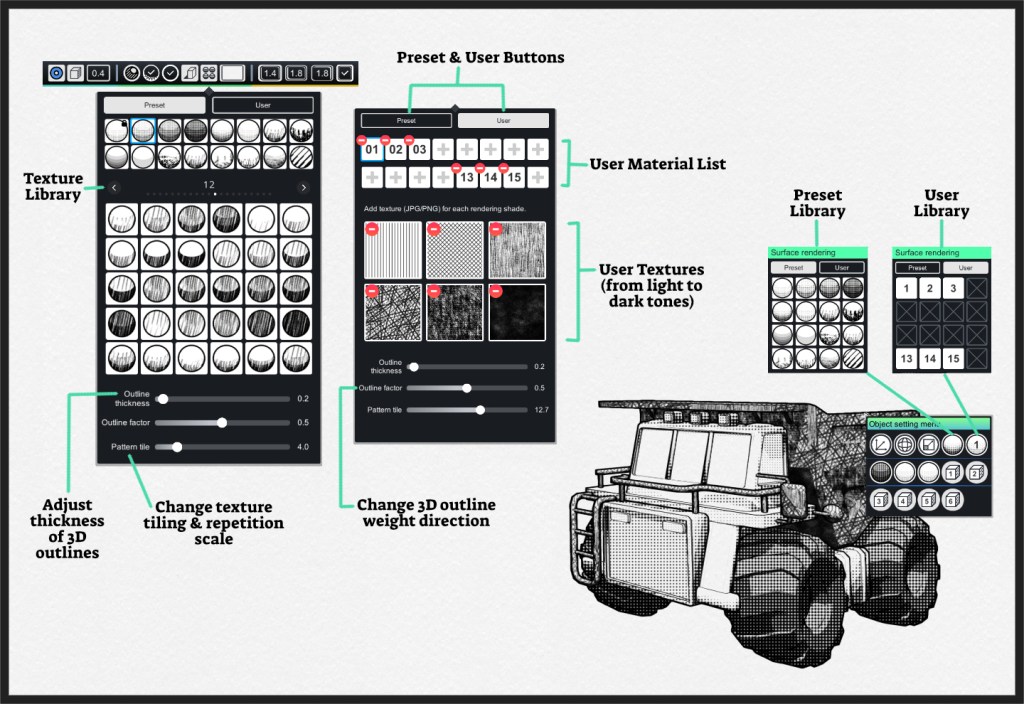
Material library gives you control over the shading and textures selection, as well as 3D outline control. Material library is divided into 2 parts:
- Preset Library – 21 different styles with each having 30 tones of shades.
- User Library – 16 slots user customizable shader.
Colour Setting
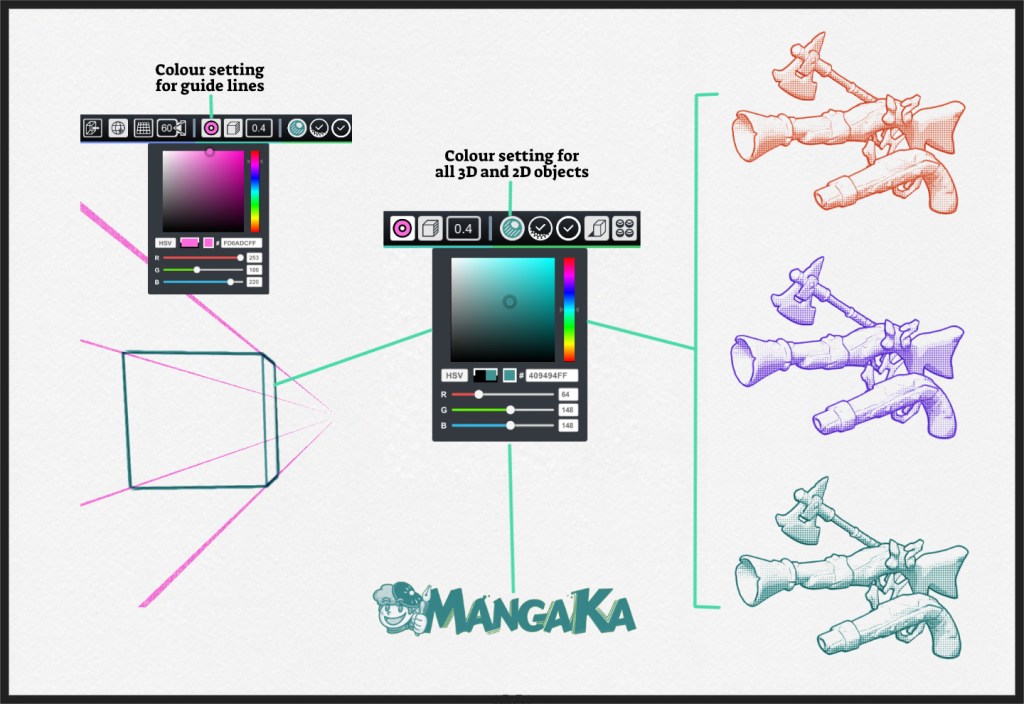
There are 2 line colour setting:
- Guide line colour – Setting only affect guide line of perspective tools.
- General line colour – Setting affect all other objects, including imported 3D models and 2D objects.
Line Setting
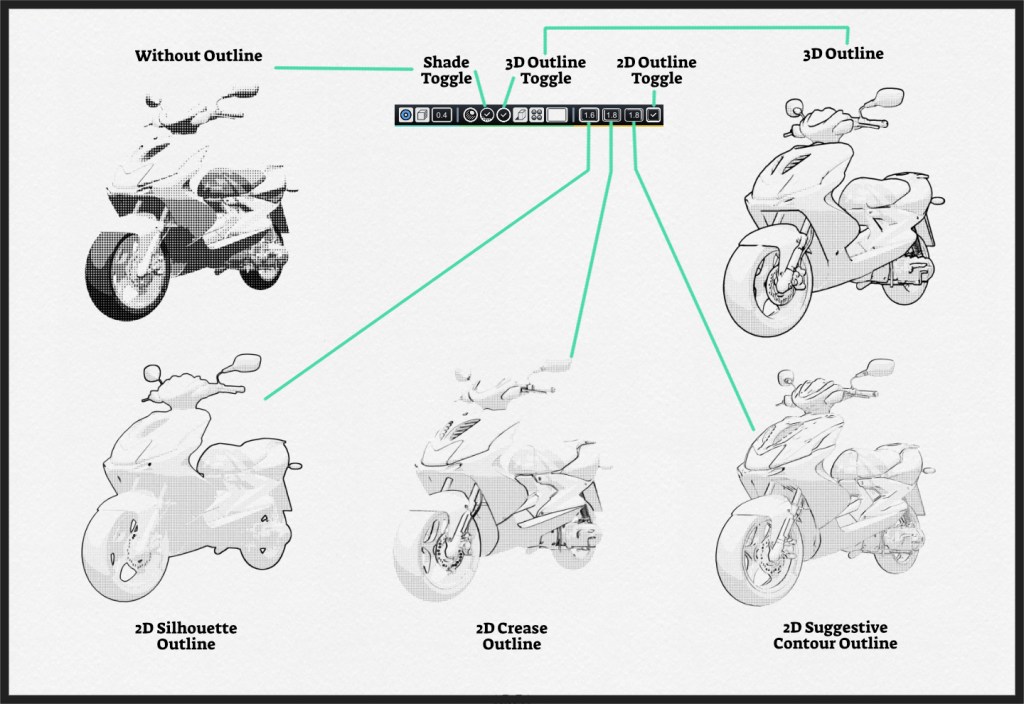
Line setting helps you define line thickness of 4 different areas, with each of them having toggle on/off setting.
 MangaKa 漫画家