
Poser Overview Setting
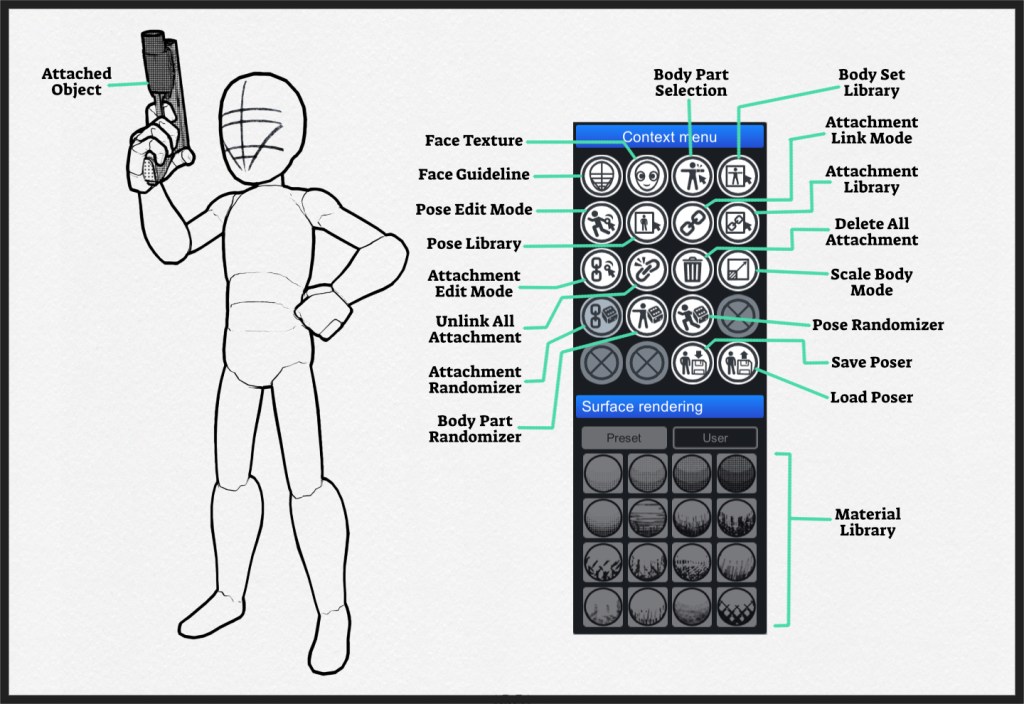
Poser is one of the key features in MangaKa (and probably one of the most complex one). Here you’ll learn each section of the features.
Pose Setting
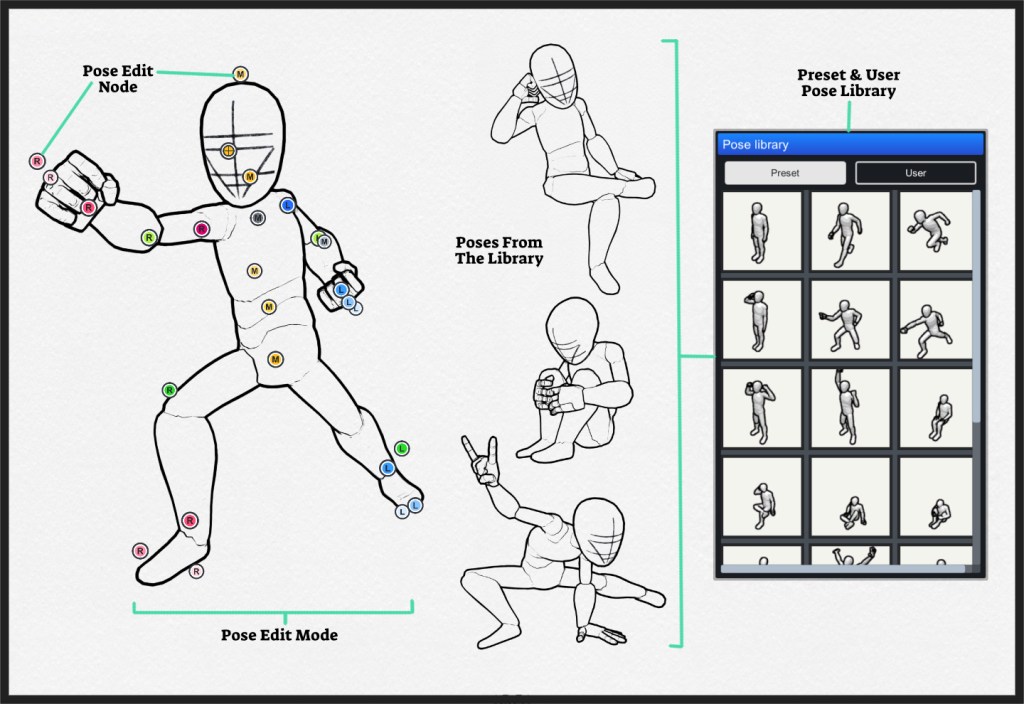
You can pose Poser in 2 ways:
- Pose Edit Mode – make your pose by moving pose nodes.
- Pose Library – get instant pose from the library or save your own ones for future use.
Body Parts & Types Setting
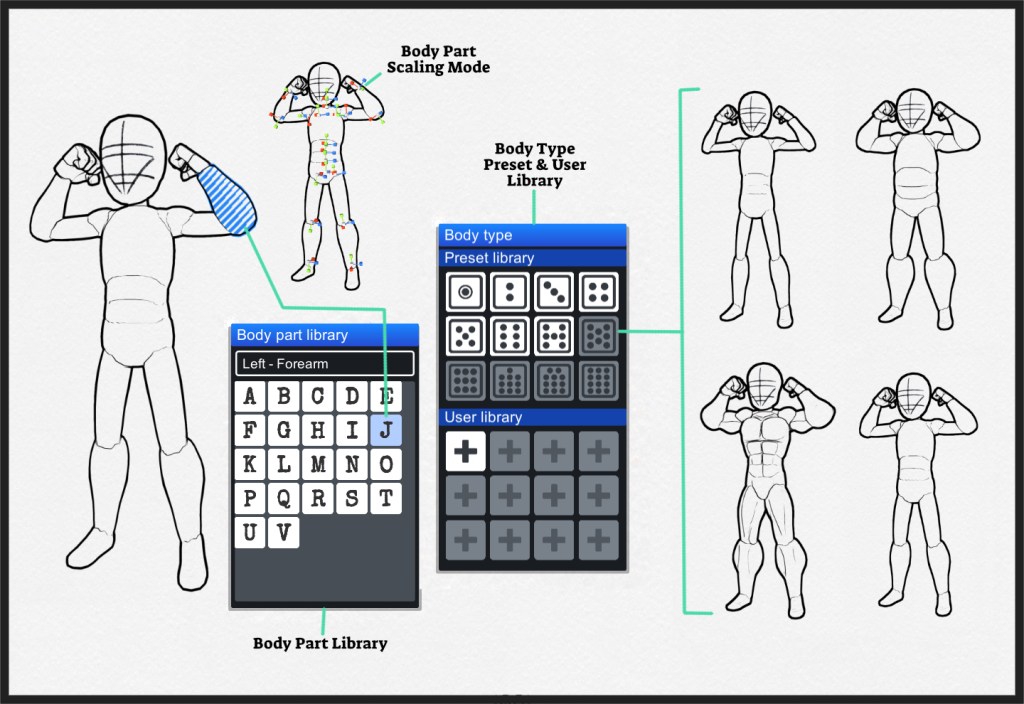
There are 3 areas where you can adjust Poser’s body parts and sizes:
- Body Part Library – assign various type of body parts.
- Body Typ Library – assign preset body types to the whole body.
- Body Scaling Mode – scale individual body part to get the look & feel you desired.
Attachment Setting
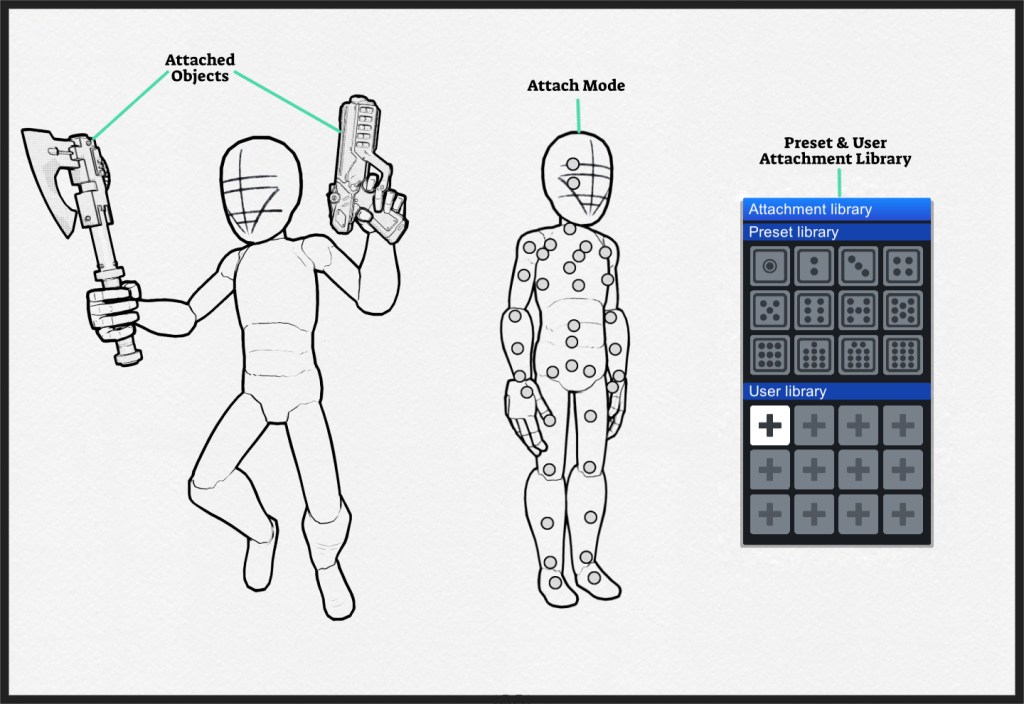
User can attach objects onto the Poser via Attach Mode, load preset attachments from the Preset Library, or save them in User library for future uses.
Face & Guideline Setting
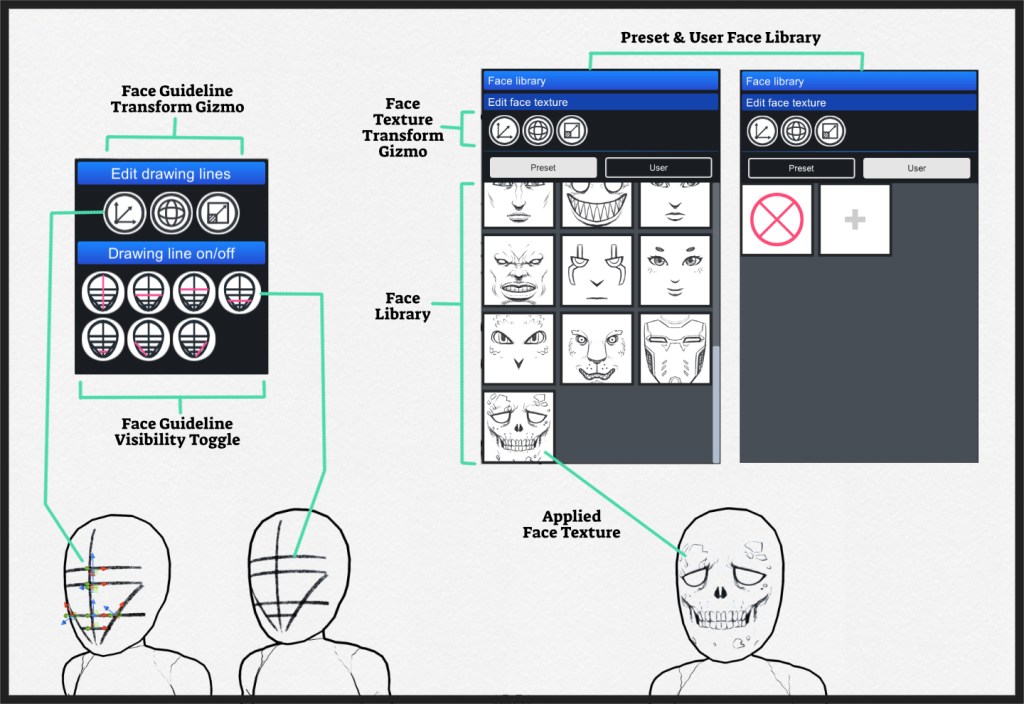
There are 2 key areas where user can adjust Poser’s facial look:
- Facial Guidelines – user can adjust, toggle on/off the guidelines to get the desired look according to their character settings.
- Facial Textues – user can apply face textures from the library or import their own ones.
 MangaKa 漫画家